
If you’re here, you’re looking to sharpen your edge—whether that means mastering shock-level combat systems, dominating multiplayer arena tactics, or fine-tuning your controller for peak performance. Modern competitive gaming moves fast, and without a clear understanding of core mechanics and evolving meta highlights, it’s easy to fall behind.
This article breaks down the hottest gaming highlights, dives into the mechanics that actually decide matches, and explains how to optimize your setup for smoother inputs and faster reactions. We focus on practical insights you can apply immediately—from positioning strategies in high-pressure arenas to refining button mapping strategies that align with your playstyle.
Our analysis is built on deep gameplay breakdowns, mechanical testing, and competitive pattern tracking to ensure the guidance is accurate, current, and performance-driven. By the end, you’ll have a clearer understanding of what’s shaping today’s competitive scene—and how to use it to your advantage.
Unlocking Your True Potential: The Art of Button Mapping
Default layouts are built for everyone, which means they’re perfect for no one. As a result, your reaction time suffers and your mechanical ceiling drops. Button mapping—the act of reassigning controller inputs to better suit your hand size, grip, and playstyle—fixes that.
First, track which actions demand split‑second timing (dodges, parries, weapon swaps). Next, relocate them to the most accessible triggers or paddles. For example, competitive arena players often move jump to a bumper to maintain aim control—yes, it feels odd at first (like switching to inverted camera), but it pays off.
Unlike generic button mapping strategies, focus on shock-level combat chains and fatigue reduction. Ultimately, precision beats habit.
The Science of Speed: Core Principles for Ergonomic Layouts
If you’ve ever lost a match because you had to take your thumb off the stick to jump, you already understand the pain. The core rule of thumbs is simple: keep both thumbs on the analog sticks as much as possible. That means maintaining simultaneous movement and camera control—because standing still to press a face button is basically volunteering as tribute.
So, what’s the fix? High-frequency action priority. Map your most-used actions—jump, dodge, shoot, aim—to the most accessible inputs: triggers, bumpers, and paddles. These are your “prime real estate” buttons, meaning the inputs you can press without sacrificing control. Smart button mapping strategies ensure your strongest fingers handle your fastest decisions.
Meanwhile, minimizing hand strain is not just about comfort; it’s about consistency. Awkward finger stretches create micro-delays and fatigue, especially in long multiplayer sessions. Over time, that strain adds up (and yes, your hands will complain before you do).
However, grip style changes everything. A claw grip shifts priority to face buttons, while back paddles free your thumbs entirely. Pro tip: test layouts in training modes before ranked play. The right setup should feel invisible—like good Wi-Fi, you only notice it when it’s bad.
Tailoring Your Controls: Genre-Specific Mapping Tactics
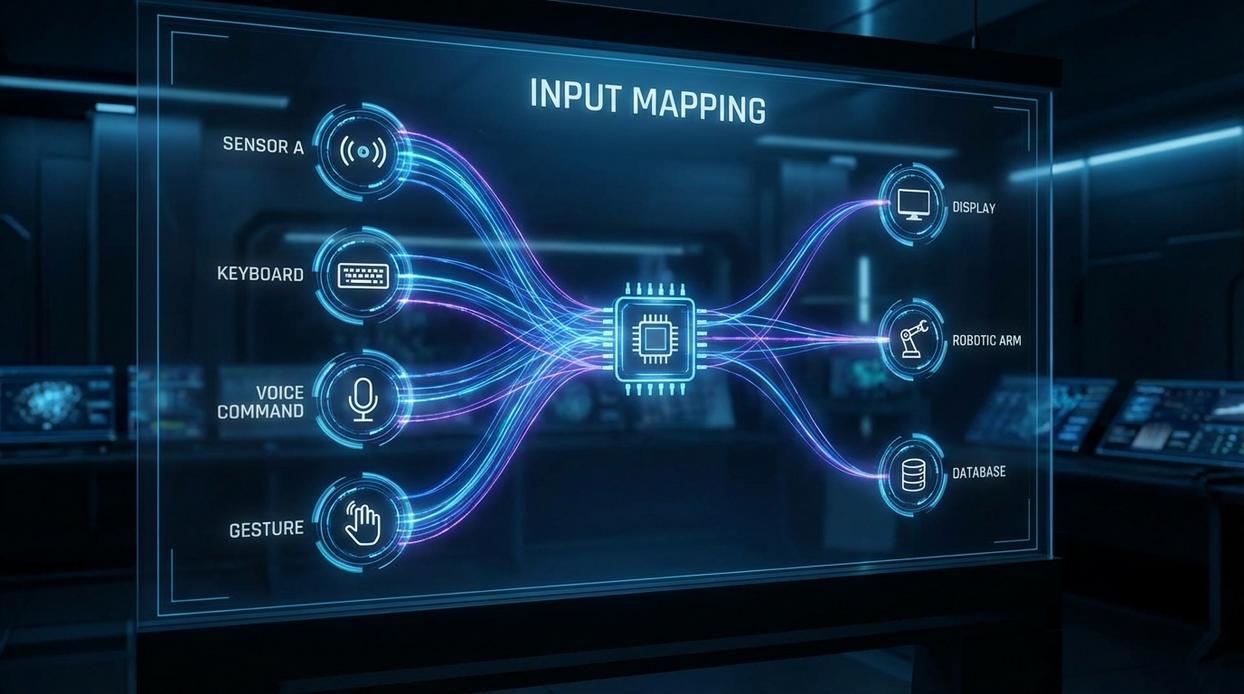
Custom layouts aren’t just preferences—they’re performance tools. When we talk about mapping, we mean assigning in-game actions (jumping, dodging, attacking) to specific controller buttons to reduce finger travel and reaction time. In my experience, the right layout feels less like pressing buttons and more like issuing commands.
First-Person Shooters (FPS)
Let’s start with the classic: the “Bumper Jumper” layout. This setup maps jump to a shoulder button (L1/LB), allowing you to aim while airborne. That matters in fast shooters like Call of Duty or Apex Legends, where mid-air tracking can win fights. I’m firmly in favor of this change—once you adjust, going back feels like running with ankle weights.
Prioritize melee and grenade on quick-access buttons. In twitch scenarios (think panic melee in a hallway), milliseconds matter. Some argue default layouts are “good enough.” I disagree. Defaults are compromises, not optimizations.
Action-RPGs & Soulslikes
Here, survival hinges on dodge/roll—a defensive maneuver that grants invincibility frames (brief moments where you can’t be hit). Map dodge to an easily spammable button that doesn’t conflict with camera control. If you have to stop turning the camera to roll, you’re already in trouble.
Assign healing to a button reachable without halting movement. In Elden Ring, standing still to sip a flask is basically asking for a boss to cosplay as a freight train.
Fighting Games
For fighters, logic beats flash. Map light, medium, and heavy attacks in a clean sequence across face buttons. Your fingers should flow naturally during combos. Think piano scales, not Twister. While some purists insist on arcade-stick orthodoxy, modern pads absolutely work—if your layout supports muscle memory.
Third-Person Action/Adventure
Finally, prioritize a dedicated sprint or dodge button that doesn’t require stick-clicking. Stick clicks can disrupt camera aim and wear down hardware. Remapping to a face button or paddle improves control instantly.
Pro tip: Test changes in low-stakes modes before competitive matches.
And remember, even perfect button mapping strategies won’t help if your setup lags—review reducing input lag practical setup tweaks that work to complete the optimization loop.
Beyond the Basics: Advanced Controller Optimization
The Power of Paddles: Back buttons or paddles are a genuine game-changer, letting you map jump, reload, or crouch to your middle fingers while your thumbs stay locked on the sticks. That split-second freedom means smoother aim tracking and tighter movement (and fewer panic fumbles). Pro tip: start with your most frequent face-button action first and build muscle memory before layering more.
Remapping for ‘Shock-Level’ Combat: In high-speed systems, defensive abilities like parry or block belong on a trigger or bumper for near-instantaneous reactions. Critics argue this crowds essential inputs, but faster access often outweighs tradition. If you’re still missing windows, that’s your cue to revisit sensitivity curves.
Interaction vs. Combat: The Interact button can sabotage you mid-fight (yes, accidentally looting instead of dodging hurts). Consider mapping it farther from primary combat keys or requiring a hold input.
Synergy with Sensitivity: Your layout should complement analog stick sensitivity and deadzone tuning for a holistic scheme. Smart button mapping strategies align quick defenses with low deadzones for snap responses.
What’s next? Test changes in practice arenas, record gameplay, and tweak weekly. Optimization is iterative, not magical. Stay patient and keep refining.
Finding Your Flow: A Step-by-Step Customization Process
Step 1: Analyze the Default
Load into training mode and test the standard layout. Does Jump on A feel faster than on a trigger? Does Dodge on B slow your reaction time? Default layouts are designed for the average player—but you’re not average (and neither are your thumbs). Identify what feels awkward versus what feels natural.
Step 2: Make One Change at a Time
Changing everything at once is Layout A chaos vs Layout B clarity. Remap your biggest pain point first using smart button mapping strategies in the section once exactly as it is given. One tweak beats ten random swaps.
Step 3: Test and Iterate
Play 30 minutes minimum. Quick test vs extended session reveals hidden friction. Muscle memory needs repetition.
Step 4: Solidify and Expand
If it feels intuitive, lock it in. Then repeat. Gradual refinement always outperforms full overhauls.
Your Controller, Your Rules: Achieving Total Control
So, have you ever wondered why your reactions feel a split-second slow? Now you have the framework to ditch clumsy defaults and tailor every input to your hands. With smart button mapping strategies, comfort becomes speed—and speed becomes wins. Ready to play differently?
Mastering Shock-Level Combat and Multiplayer Arena Control
You came here to sharpen your edge in high-intensity matches—and now you understand how shock-level combat systems, arena positioning, and controller precision all work together to give you that advantage.
The real frustration isn’t losing. It’s knowing you could have won if your reactions were tighter, your loadout smarter, or your inputs more efficient. Small mechanical gaps create big competitive losses.
That’s where intentional practice and optimized button mapping strategies change everything. When your controls match your playstyle, your execution becomes automatic. When your arena tactics align with core mechanics, you stop reacting—and start dictating the pace.
Now it’s your move.
Refine your layout. Apply smarter button mapping strategies. Drill shock-combo timings. Step back into the arena with a setup built for control, not chaos.
Players who consistently climb ranks focus on mechanics first—and we’re trusted by competitive gamers for breaking those mechanics down into clear, actionable tactics.
Don’t let avoidable input mistakes cost you another match. Optimize your controller, sharpen your combat flow, and take control of the arena today.